


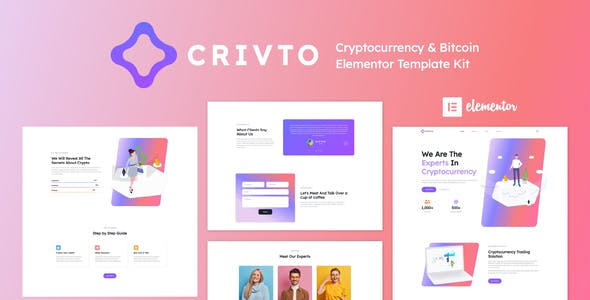


Crivto has a simple- modern and clean design with a 100% responsive layout- and very easy to customize because using Elementor so you don’t need a single line of coding!This template kit includes stunning carefully crafted 10+ Pages and 15+ Elementor templates for building a professional site in just a few clicks.
Features:
- Using Free Plugins (Elementor Pro is not required)
- Unique & Clean Design
- 10+ Ready to Use Pages
- 15+ Ready to Use Templates
- Fully Responsive Layout
- Fully Customizable
- Cross Browser Compatibility: Chrome- Firefox- Safari- Opera
Templates Include:
- Global Theme Style
- Home
- About Us
- Services
- Our Team
- Blog & News
- Single Post
- Pricing
- FAQs Page
- Wallet
- Contact
- 404 Page
- Header
- Footer
Required Plugin:
- Elementor
- ElementsKit Lite
- Elementor – Header- Footer & Blocks
- Jeg Elementor Kit
- WPForms Lite
HOW TO INSTALL:
- Install and Activate the “Envato Elements” plugin from Plugins > Add New in WordPress
- Do not unzip
- Go to Elements > Installed Kits and click the Upload Template Kit button.
- Before importing a template- ensure the Install Requirements button is clicked to activate required plugins
- For best results- do not import more than one template at a time.
Setup Global Header and Footer in ElementsKit
- Import the header and footer template
- Go to ElementsKit > Header Footer select Header and click Add New
- Give it a title- leave Entire Site selected and toggle Activation to On
- Click the template title and Edit Content
- Click the gray folder icon and select the header template to import and Update.
- Repeat for Footer
Notes:
This Template Kit uses demo images from Envato Elements. You will need to license these images from Envato Elements to use them on your website- or you can substitute them with your own.
- https://elements.envato.com/elements-exchange-blockchain-platform-isometric-NL76M4
- https://elements.envato.com/elements-exchange-cryptocurrency-isometric-illustration-H8R39L
- https://elements.envato.com/image-48552MV
- https://elements.envato.com/image-6CHT7KZ
- https://elements.envato.com/image-ZMTZKKP
- https://elements.envato.com/image-UCETKXG
- https://elements.envato.com/image-UFUAS6T
- https://elements.envato.com/image-PHWVSSD
- https://elements.envato.com/image-36A6ZXK
- https://elements.envato.com/image-ZJ7BLHR
- https://elements.envato.com/image-384RTJZ
- https://elements.envato.com/elements-ar-blockchain-platform-isometric-illustration-X8F3VM
- https://elements.envato.com/image-WUBHEYL
- https://elements.envato.com/image-PT2GJYH
- https://elements.envato.com/image-W9B26U7
- https://elements.envato.com/image-BW8VJL4
- https://elements.envato.com/image-H78TH93
- https://elements.envato.com/image-KMB5XQJ













Reviews
Clear filtersThere are no reviews yet.