


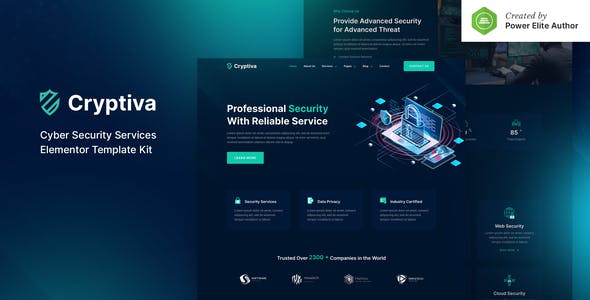


Cryptiva is a modern and clean Elementor Template Kit that you can use to create a WordPress-based website for Cyber Security Services Company or Individual providers- Digital Security Consulting- Cyber Security Agency- Risk Compliance & IT Security- or any other related business.
This template kit includes stunning carefully crafted 15+ stunning templates- you can build your professional-looking business website just in a click away.
Features:
- Using Free Plugins (Elementor Pro is not required)
- Modern & Clean Design
- 15+ Ready to use templates
- Fully Responsive Layout
- Retina Ready
- Fully Customizable
- Cross Browser Compatibility: Chrome- Firefox- Safari- Opera
Templates Include:
- Home
- About Us
- Services
- Service Details
- Pricing
- Our Team
- FAQ
- Blog
- Single Blog
- Contact
- MetForm Contact
- 404 Page
- Header
- Footer
- Global Theme Style
Required Plugin:
- Elementor
- Jeg Elementor Kit
- ElementsKit Lite
- MetForm
How to Install:
- Install and Activate the “Envato Elements” plugin from Plugins > Add New in WordPress
- Do not unzip
- Go to Elements > Installed Kits and click the Upload Template Kit button.
- Before importing a template- ensure the Install Requirements button is clicked to activate required plugins
- For best results- do not import more than one template at a time.
How to import Metforms and content blocks
- Import the metform block templates
- Import the template where the form appears- then click View Template to load in the builder
- Right click the page to open the Navigator and locate the Metform widget
- Click New- leave blank selected then click Edit Form button
- Click ‘Add Template’ grey folder icon.
- Click ‘My Templates’ tab.
- Choose your imported metform template- then click ‘Insert’.
- Once the template is loaded- click ‘Update’.
Changelog & Update History
v1.0.1 (28/04/2021)
- Fix single post template
v1.0.0 (11/03/2021)
Initial release
Notes:
This Template Kit uses demo images from Envato Elements. You will need to license these images from Envato Elements to use them on your website- or you can substitute them with your own.
- https://elements.envato.com/image-8RZDUET
- https://elements.envato.com/image-EU7FBU
- https://elements.envato.com/logo-9VAKXU
- https://elements.envato.com/logo-GR7E54
- https://elements.envato.com/logo-JQLHGD
- https://elements.envato.com/logo-Y7FDGX
- https://elements.envato.com/image-XLRB4XR
- https://elements.envato.com/image-OJO4YQ0
- https://elements.envato.com/image-KGXFJD
- https://elements.envato.com/image-NLXZQ9W
- https://elements.envato.com/image-8NPESTS
- https://elements.envato.com/image-PULKSL9
- https://elements.envato.com/image-SMNZUJQ
- https://elements.envato.com/image-52G3BWD
- https://elements.envato.com/image-7UT4L65
- https://elements.envato.com/image-KL4J2UG
- https://elements.envato.com/image-Q8JDNBT
- https://elements.envato.com/image-YV9ABZR
- https://elements.envato.com/image-83S5W35
- https://elements.envato.com/image-N8572T7
- https://elements.envato.com/image-PX3RPVZ
- https://elements.envato.com/image-NLK68BZ
- https://elements.envato.com/image-EZZN243
- https://elements.envato.com/image-XBYDV8P
- https://elements.envato.com/image-WVUJPY













Reviews
Clear filtersThere are no reviews yet.