


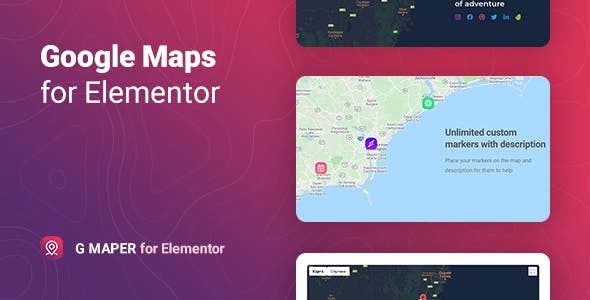


Gmaper is a WordPress plugin to add extended Google maps without using iframes or code knowledge. It provides an easy and fast process for creating unlimited markers- legends- map styles- and customize other settings. The map widget can enhance any site- be it a blog of travelers visiting places worldwide- a business company with multiple locations- or a real estate agency showing key features of the area.
The plugin includes many useful features to cover most of your needs when creating your own location block. You can create the required number of markers by specifying the longitude and latitude- use a custom image as a marker- add title and description- customize its display styles according to the requirements. The Gmaper provides more information with the legends- explanation for your visitors about the location- or map interpretation. Manage various map display options via simple toggles like Map type- Street view- Zoom controls- Show legend- Overlay- and many others. Moreover- you can specify the type of map and select one of the available display styles or use a custom one using JSON code.


We made sure that it was easy for you to get started with the Gmaper plugin. With the plugin- you get 5 unique stylized and go-to-use templates. These are just some examples that can inspire you to create your style. It provides you a quick start in a few clicks.
The plugin has straightforward and flexible style settings. You can set the base map configuration- overlay- typography- colors- background- border- and other things for different elements. It is possible to apply various styles for different item states like normal or hover.
Gmaper for Elementoris exceptionally compatible with all modern browsers. It does not matter which browser users view your site: Chrome- Firefox- Opera- Safari- or Edge. Everything will look great on all devices and in all browsers.
Features of the Gmaper plugin for Elementor
- Supports auto-detection of user location
- Using longitude and latitude to specify a location
- Supports four types of maps: Road map- Satellite- Terrain- Hybrid
- Includes map legends
- Multiple markers for one map
- A lot of map options display settings
- Ability to create unlimited Maps
- 6 Predefined map display styles
- Support custom map style
- Responsive and friendly to any device
- Customizable fonts- colors- borders- backgrounds- etc.
- Responsiveness settings
- Works well with all WordPress themes built on Elementor
- Totally Seo Friendly
- Included pot file for quick translation on any language
- Perfect for RTL direction
- Fast and smooth installing
- Tested and compatible up to WordPress 5+
- Lightweight and Fast
- All major browsers supported Chrome- Firefox- Safari- Opera- and Edge
- Easy to use and customize with modern User Interface
- Installation Guide and detailed Users Manual
- Six months Included Support for CodeCanyon buyers
The plugin installation takes only a few seconds. Also- you do not need to make any additional settings. The plugin is ready to work immediately after installation – you only need to install and activate it in WordPress. Read more about capabilities and settings in theOnline Documentation.
Changelog
1.0.4 – 6 April 2023Fixed displaying map on multi language websitesImproved compatibility with Twenty Twenty-Two theme
1.0.3 – 1 October 2022Added info window close setting
1.0.2 – 24 March 2022Removed deprecated _register_controls method
1.0.1 – 4 November 2021Fixed displaying links in the description when "Hide report a map error" setting is on
1.0.0 – 8 June 2021Initial release













Reviews
Clear filtersThere are no reviews yet.