


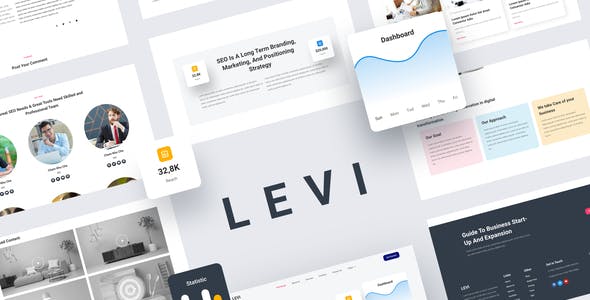


Levi is a Digital Marketing Template Kits that are designed for personal- agency- Corporate businesses who want to showcase their work- services- and professional way. This Template Kits support responsive mobile view.for full information about this template kit- please visit the demo link and enjoy the design. Let’s elevate your value with Levi Template Kits
Templates:
- Homepage
- About Us
- Services
- Portofolio
- Contact Us
- Pricing
- 404
- Single Post
- Our Team
- Blog
Required Plugins installed with kit:
- Elementor
- Elementor – Header- Footer & Blocks
- ElementsKit Lite
- Exclusive Addons Elementors
- MetForm
- Sticky Header Effects for Elementor
How to Install:Install and Activate the Envato Elements plugin from Plugins > Add New in WordPress- then activate your subscription. Premium kits may be loaded directly from the Premium Kits library.Manual import: Do not unzip the download. Upload the Kit zip under Elements> Installed Kits by clicking the Import Kit button. Before importing a template- ensure the Install Requirements button is clicked to activate required plugins. For best results- do not import more than one template at a time.
How to import Metforms and content blocks
- Import metform and content blocks/slide templates
- Import the template where the form or slide appears- then click View Template to load in the builder
- Right click the page to open the Navigator and locate the Carousel and Metform widgets
- For Carousels- select the corresponding content block from the template dropdown on the Carousel tab
- For metforms- click New- leave blank selected then click Edit Form button
- Click ‘Add Template’ grey folder icon.
- Click ‘My Templates’ tab.
- Choose your imported metform template- then click ‘Insert’.
- Once the template is loaded- click ‘Update’.
Setup Global Header and Footer in ElementsKit
- Import the header and footer template
- Go to ElementsKit > Header Footer select Header and click Add New
- Give it a title- leave Entire Site selected and toggle Activation to On
- Click the template title and Edit Content
- Click the gray folder icon and select the header template to import and Update.
- Repeat for Footer
Images:
This Template Kit uses demo images from Envato Elements. You will need to license these images from Envato Elements to use them on your website- or you can substitute them with your own.
- https://elements.envato.com/image-EXK6R4A
- https://elements.envato.com/image-8PSMUW7
- https://elements.envato.com/image-JDQKV69
- https://elements.envato.com/image-MRKQPHN
- https://elements.envato.com/image-CDURLJJ
- https://elements.envato.com/image-YF44LTQ
- https://elements.envato.com/image-MN6SHDB
- https://elements.envato.com/image-JQ9SLEW
- https://elements.envato.com/image-4T29L9Y
- https://elements.envato.com/image-K3ZWB84
- https://elements.envato.com/image-RSW9E3L
- https://elements.envato.com/image-49M5S52
- https://elements.envato.com/image-FCZV477
- https://elements.envato.com/image-R3Y2PR7













Reviews
Clear filtersThere are no reviews yet.