



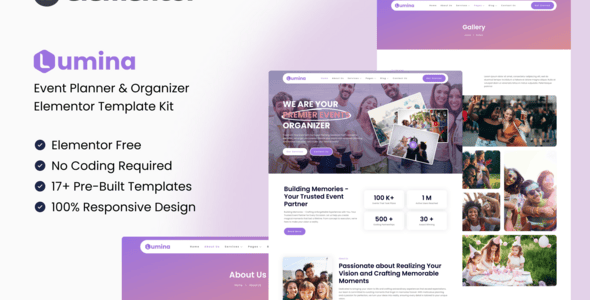


Unlock the potential of your event planning endeavors with Lumina- a comprehensive toolkit designed to streamline the process of organizing and managing unforgettable gatherings. From corporate conferences to weddings and community events- Lumina offers an array of customizable templates and features to suit your unique needs. With its intuitive interface and modern design- Lumina empowers you to create stunning event websites that captivate and inspire. Elevate your event planning game and impress your clients with Lumina – the ultimate solution for crafting extraordinary experiences.
With Lumina- the stress of event planning becomes a thing of the past as you harness the power of intuitive tools and cutting-edge design elements. Seamlessly navigate through the process of conceptualizing- organizing- and executing events with ease- thanks to Lumina’s user-friendly interface. Whether you’re a seasoned event planner or just starting out- Lumina provides the perfect platform to showcase your creativity and expertise. Take your event planning business to new heights and leave a lasting impression on your clients with Lumina by your side.
Features:
- Perfect for Event & Organizer
- Fully With Elementor Free Version (Elementor Pro is not required)
- Simple- Modern and Clean Design
- No Coding Knowledge Required
- 17+ Ready To Use Templates
- Responsive & Retina Ready
- Easy & Fully Customizable
Templates Include:
- Global Kit Styles
- Home
- About
- Services
- Service Detail
- Our Team
- Gallery
- Pricing
- Blog
- Single Blog
- FAQ
- Contact Us
- Metform Contact
- 404 Page
- Coming Soon
- Header
- Footer
Required Plugin:
- Elementor (Free)
- Jeg Elementor Kit
- MetForm
How to Install:
- Install and Activate the “Envato Elements” plugin from Plugins > Add New in WordPress
- Do not unzip
- Go to Elements > Installed Kits and click the Upload Template Kit button.
- Before importing a template- ensure the Install Requirements button is clicked to activate required plugins
- For best results- do not import more than one template at a time.
For further support- go to Elementor > Get Help in WordPress menu.
How To Import Metform Costum Form
- Import metform template
- Import the template where the form appears- then edit in Elementor
- Click the Metform widget in the column where the form should be and click Edit Form
- Select New- leave blank selected then click Edit Form button
- Click ‘Add Template’ grey folder button
- Click ‘My Templates’ tab
- Choose your imported metform template- then click ‘Insert’
- Once the template is loaded- click ‘Update’
This Template Kit uses demo images from Envato Elements. You will need to license these images from Envato Elements to use them on your website- or you can substitute them with your own.













Reviews
Clear filtersThere are no reviews yet.