






TechUp IT solutions & Services Elementor templates suitable for your Digital Agency- IT Business- Consulting- SaaS & Software- Startup website. You can use TechUp as a Creative way to showcase and promote your startup or running any digital marketing agency website.
This Kit created with Elementor – the best page builder system– so you will not need any coding skills to use or configure templates. You will just do drag and dropping. Also- you can easily modify theme options easily- for doing it we have provided you with ultra-powerful options system.

Main Features
- 1 Click Installation
- Lifetime Free Updates
- 24/7 Customer Support
Kit Includes:
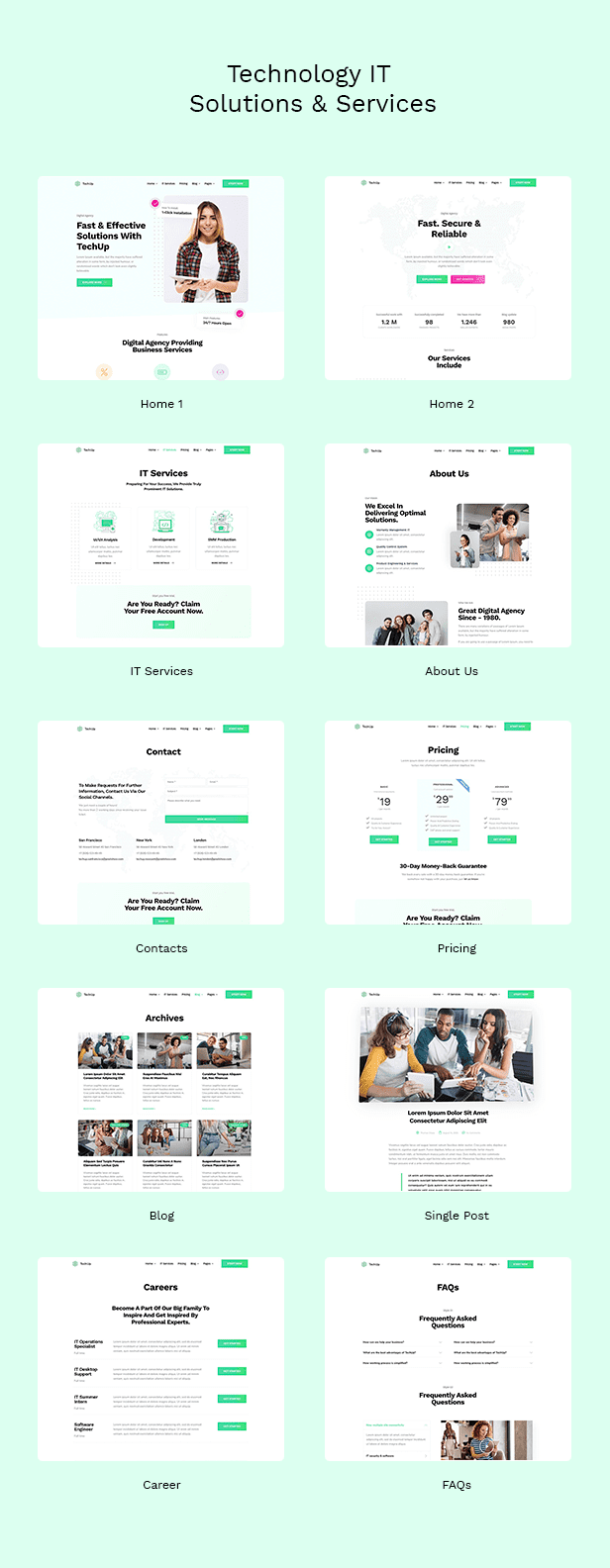
- Home 1 Template
- Home 2 Template
- About Us
- Contact Us Page
- IT Services Page
- Career Page
- Pricing Page
- Blog
- Blog Single
- FAQs Page
How to Use Template Kits:
- Install and Activate the “Envato Elements” plugin from Plugins > Add New in WordPress
- Download your kit file and Do not unzip
- Go to Elements > Installed Kits and click the Upload Template Kit button. You may also import automatically by clicking Connect Account to link your Elements subscription- then import under Elements > Template Kits.
- Check for the orange banner at the top and click Install Requirements to load any plugins the kit uses
- Click import on the Global Kit Styles first
- Click Import on one template at a time. These are stored in Elementor under Templates > Saved Templates.
- Go to Pages and create a new page and click Edit with Elementor
- Click the gear icon at lower-left of the builder to view page settings and choose Elementor Full Width and hide page title
- Click the gray folder icon to access My Templates tab and then Import the page you’d like to customize.
If you have Elementor Pro- headers and footers may be customized under Theme Builder.
For further support- go to Elementor > Get Help in WordPress menu.
This Template Kit uses demo images from Envato Elements. You will need to license these images from Envato Elements to use them on your website- or you can substitute them with your own.
- https://elements.envato.com/web-development-line-design-style-banners-set-GWXKGJQ
- https://elements.envato.com/pretty-teenage-girls-and-their-boyfriends-in-casua-WHRMLRA
- https://elements.envato.com/image-9ZCVQUD
- https://elements.envato.com/young-business-lady-TAY76PP
- https://elements.envato.com/image-58FUABR
- https://elements.envato.com/image-4MLRBMH
- https://elements.envato.com/image-KL7SHQF
- https://elements.envato.com/gorgeous-young-business-woman-looking-camera-XPQU4EY
- https://elements.envato.com/beautiful-woman-posing-in-doctors-office-LWVPG3D
- https://elements.envato.com/image-9DV7XHT
- https://elements.envato.com/image-BQL3TV8
- https://elements.envato.com/portrait-of-a-young-man-in-a-studio-dressed-in-gra-X2FNTMP
- https://elements.envato.com/smiling-creative-professional-having-coffee-in-P7XTU6K













Reviews
Clear filtersThere are no reviews yet.