


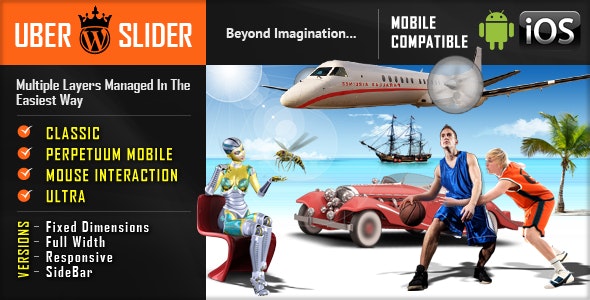


UberSlider – Layer Slider WordPress Plugin contains 4 versions: Classic, Perpetuum Mobile, Mouse Interaction and Ultra. Each of these 4 versions has 2 skins (bullets & thumbs) and can be used as Fixed Dimensions or as Full Width. It allows you to easily create powerful sliders with animated layers (text layer or images layer), making the slider very easy to setup and maintain. Please check the video tutorials for each product and the live preview to convince yourself of its quality.IF YOU NEED ONLY THE JQUERY PLUGIN FOR THIS PRODUCT, YOU CAN DOWNLOAD IT FROM HERE: http://codecanyon.net/item/parallax-slider-responsive-jquery-plugin/3217681Parallax Effect – Full Collection of Sliders includes 4 types of sliders:- Classic – Perpetuum Mobile – Mouse Interaction – UltraNEW: From these sliders you can create, in minutes, sidebar banners. CLASSICStep 1: Installation – http://www.youtube.com/watch?v=sp7TvIDlnVs Step 2: Create a Slider – http://www.youtube.com/watch?v=vXOkiXm4vYo Step 3: Add Layers – http://www.youtube.com/watch?v=YgZl1qgcFPsStep 4: Manage Multiple Sliders – http://www.youtube.com/watch?v=lWJNfu3iTQAFeatures touch screen navigation support for mobile responsive design. Available parameter to disable responsive behaviour 2 predefined skins: bullets & thumbs layered elements: permits almost unlimited number of layers, images or texts. animated text from any direction: top, bottom, left and right. CSS and HTML formated external url link parameter for each slide target parameter: _blank or _self width & height parameters autoplay parameter loop parameter show/hide controllers parameter show/hide bottom thumbs parameter circle timer parameters for color, dimensions, transparency you can include YouTube, Vimeo & HTML5 you can insert multiple instances in the same page with the same skin or using a different skin. detailed help documentation included. PERPETUUM MOBILEStep 1: Installation – http://www.youtube.com/watch?v=6jFX2iy94p0 Step 2: Create a Slider – http://www.youtube.com/watch?v=tXqhbJOQFJ0 Step 3: Add Backgrounds and Layers – http://www.youtube.com/watch?v=fdj6CysHflIStep 4: Manage Multiple Sliders – http://www.youtube.com/watch?v=7KIoY2ZyX8EFeatures touch screen navigation support for mobile responsive design. Available parameter to disable responsive behaviour 2 predefined skins: bullets & thumbs layered elements: permits almost unlimited number of layers, images or texts. animated text from any direction: top, bottom, left and right. CSS and HTML formated perpetuum move: define multiple backgrounds elements that can have a perpetuum move. For each background you can enable or disable this behavior. continuous move for layers: you can choose which layer will move continuously between 2 positions just by setting additional parameters rotary motion for layers: you can choose which layer will rotate just by setting additional parameters. This feature is working for all browsers, except IE7 & IE8 width & height parameters external url link parameter for each slide target parameter: _blank or _self autoplay parameter loop parameter show/hide controllers parameter show/hide bottom thumbs parameter circle timer parameters for color, dimensions, transparency you can include YouTube, Vimeo & HTML5 you can insert multiple instances in the same page with the same skin or using a different skin. detailed help documentation included. MOUSE INTERACTIONStep 1: Installation – http://www.youtube.com/watch?v=tTigpPwYM6k Step 2: Create a Slider – http://www.youtube.com/watch?v=o-6XPW0SLvI Step 3: Add Layers – http://www.youtube.com/watch?v=jOiS_NJksGkStep 4: Manage Multiple Sliders – http://www.youtube.com/watch?v=ZcHCskZKPK4Features touch screen navigation support for mobile responsive design. Available parameter to disable responsive behaviour 2 predefined skins: bullets & thumbs layered elements: permits almost unlimited number of layers, images or texts. animated text from any direction: top, bottom, left and right. CSS and HTML formated mouse interaction: by moving the mouse over the slider, the elements will react. Available parameter to disable this behavior. continuous move for layers: you can choose which layer will move continuously between 2 positions just by setting additional parameters rotary motion for layers: you can choose which layer will rotate just by setting additional parameters. This feature is working for all browsers, except IE7 & IE8 width & height parameters external url link parameter for each slide target parameter: _blank or _self autoplay parameter loop parameter show/hide controllers parameter show/hide bottom thumbs parameter circle timer parameters for color, dimensions, transparency you can include YouTube, Vimeo & HTML5 you can insert multiple instances in the same page with the same skin or using a different skin. detailed help documentation included. ULTRAStep 1: Installation – http://www.youtube.com/watch?v=9WHqEeyyhxg Step 2: Create the Slider, Add Backgrounds & Layers – http://www.youtube.com/watch?v=0BzTCOMY9M4Step 3: Manage Multiple Sliders – http://www.youtube.com/watch?v=HbGv0EDsQZoFeatures touch screen navigation support for mobile responsive design. Available parameter to disable responsive behaviour 2 predefined skins: bullets & thumbs layered elements: permits almost unlimited number of layers, images or texts. animated text from any direction: top, bottom, left and right. CSS and HTML formated asynchronous move for backgrounds: Define multiple backgrounds elements that can have an asynchronous move, customizable through parameters. width & height parameters external url link parameter for each slide target parameter: _blank or _self autoplay parameter loop parameter show/hide controllers parameter show/hide bottom thumbs parameter circle timer parameters for color, dimensions, transparency you can include YouTube, Vimeo & HTML5 you can insert multiple instances in the same page with the same skin or using a different skin. detailed help documentation included.NEW PRODUCTOTHER RECOMMENDED PLUGINS Keywords: parallax effect, layer slider, content slider, caption, fluid, gallery, image, jquery, mobile, ios, plugin, resizable, responsive, slider, slideshow, swipe, touch, wordpress plugin If you need additional information don’t hesitate to contact us at [email protected]. We’ll try to answer you as quickly as possible. Enjoy!
UberSlider – Layer Slider WordPress Plugin
13
Items sold in last day
- Version / Update Date2023-04-28 Current version / Product update date
- Download / Update Period This is the period during which you can download and receive updates for the product. Once this period ends, you will no longer be able to download the product. 1 year Access to downloads and updates for 1 year
$4.99
Save up to 30%

When you purchase 2 or more products
Free for Members

Download over 9000 products for free
🏅 Membership Download

This download area is exclusively for Membership members
Sign up for Membership to access over 9000 products and maximize your savings.
Description
Customer Reviews

Latest Version
Continuous Updates

Clean and Safe Product
No Viruses, No Malware

Exceptional Value
Affordable, Cost-Effective Pricing


Secure Payment
PayPal and Credit Card

Professional Support
Product Info and Assistance












Reviews
Clear filtersThere are no reviews yet.