


WooCommerce Two Factor Authentication plugin seamlessly integrates into your WooCommerce login page implementing a two-factor authentication process!
LIVE DEMO
https://www.codecanyondemo.work/wctfa/wp-admin
(Shop admin account)
user: demo
pass: demo
(Customer account)
user: demo1
pass: demo

How to automatically update the plugin
To receive automatic updates install and configure the Envato updater plugin: https://goo.gl/pkJS33 . The official guide that explains how to configure it can be found at the following link: https://envato.com/market-plugin .
How it works: the authentication workflow
Once the plugin is activated- the process is straightforward:
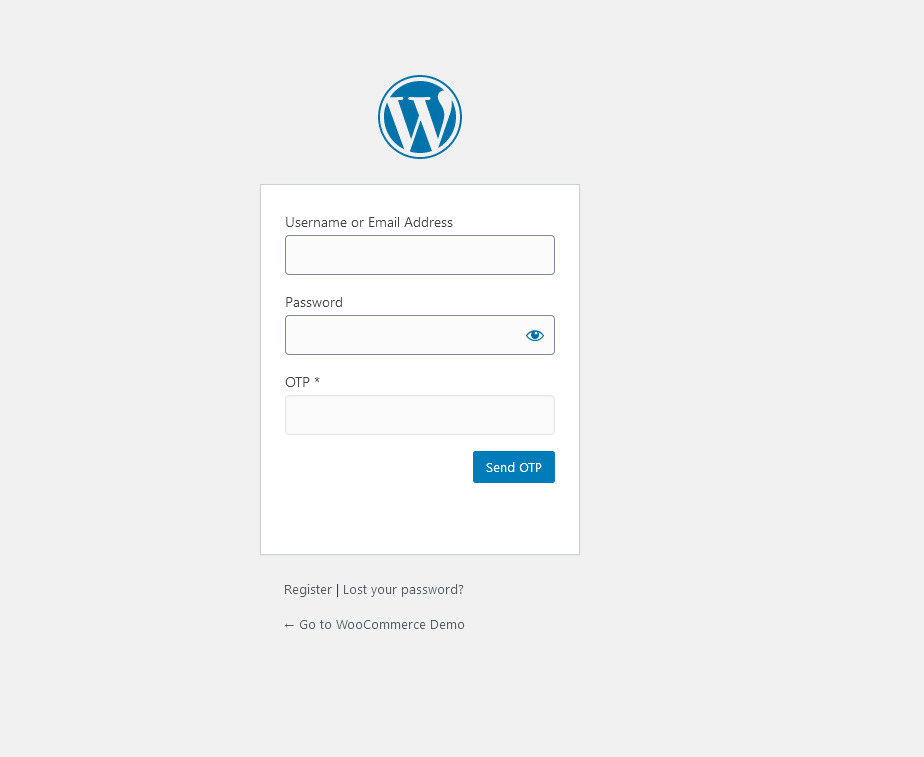
- When the customer accesses the login page- besides the Username and Password fields- he will also see the new OTP field and the “OTP send” button (the login button will be hidden until the OTP is sent)
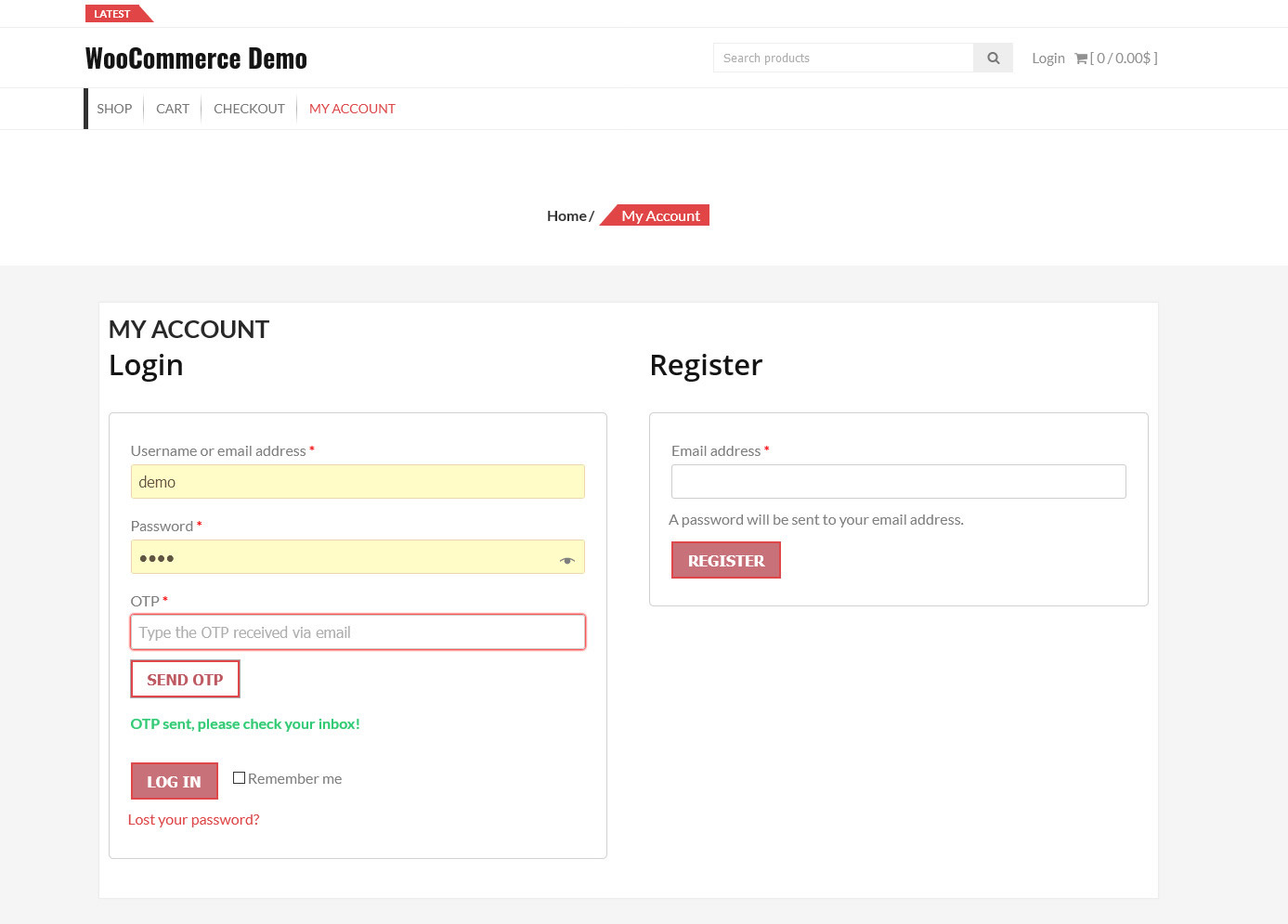
- Once he entered the Username/Email and clicked the “OTP send” button- he will receive the OTP via email- and the login button will appear
- The customer can then enter the OTP and proceed with the login
Highly customizable
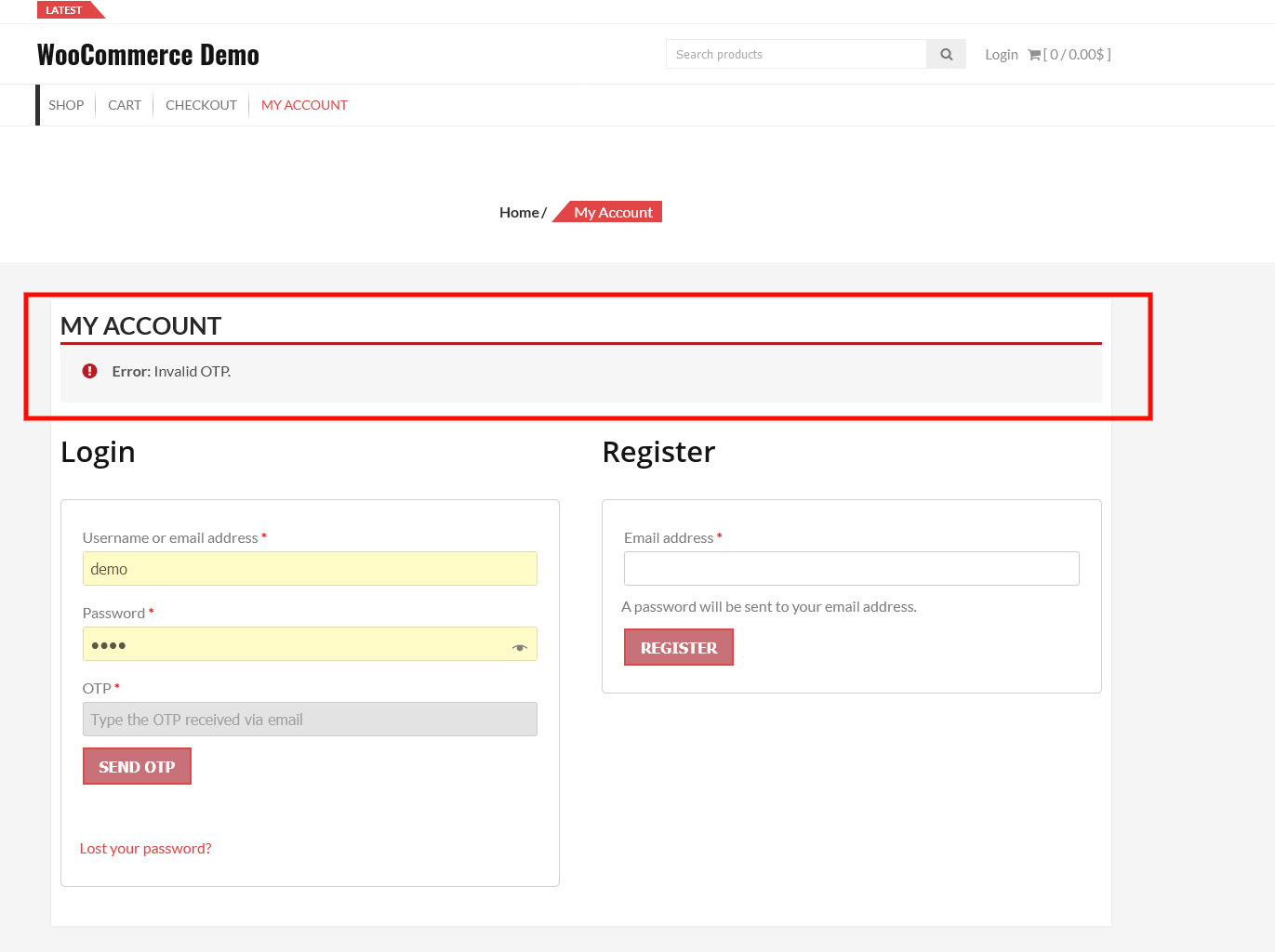
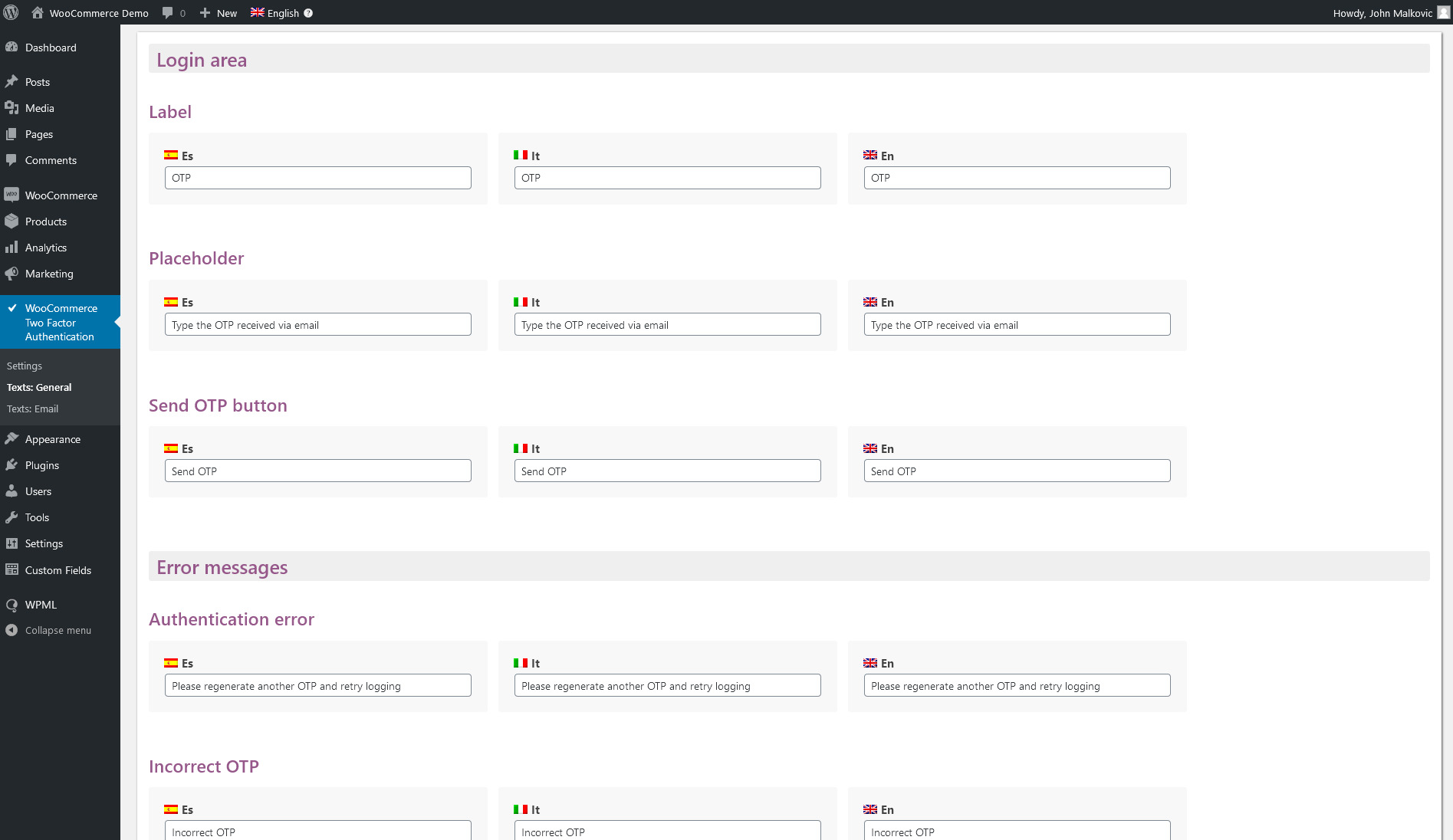
Through the admin area- the shop admin can customize the OTP notification email- subject- error message- and more! He can also configure other parameters like the OTP length and validity time
Templating
The OTP area template can be customized. The template files can be copied into the theme folder and then customized according to your needs!
- woocommerce-two-factor-auth/templates/frontend/wc-login-form.php: this is the template used in the WooCommerce login area
- woocommerce-two-factor-auth/templates/frontend/wp-login-form.php: this is the template used in the WordPress admin login area
Security
The OTP is a 12-length string randomly generated. The OTP is valid for a fixed time amount (by default is 5 minutes) after which it will expire.To prevent brute force attacks- the plugin also checks the number of attempts the user performs. By default- after 3 wrong attempts- the OTP will expire. All the parameters can be edited through the options menu.
Autologin on registration
The plugin optionally allows disabling the autologin performed by WooCommerce after an account has been created via the “My Account” area. This forces the user to perform the log in via the log in area and so use the OTP sent in the registered email address
NOTE: The autologin performed when registering an account via the Checkout page- cannot be disabled. You need eventually to completely disable the create account option via the WooCommerce -> Settings -> account & Privacy area.
WPML
The plugin supports the WPML translation plugin. All the available texts can be customized and translated for each installed language.
Note on custom login area
Any alteration of the login page or login process via 3rd party software might prevent the plugin to work as expected. In case of any issue- restore the original.
SCREENSHOTS
Login area
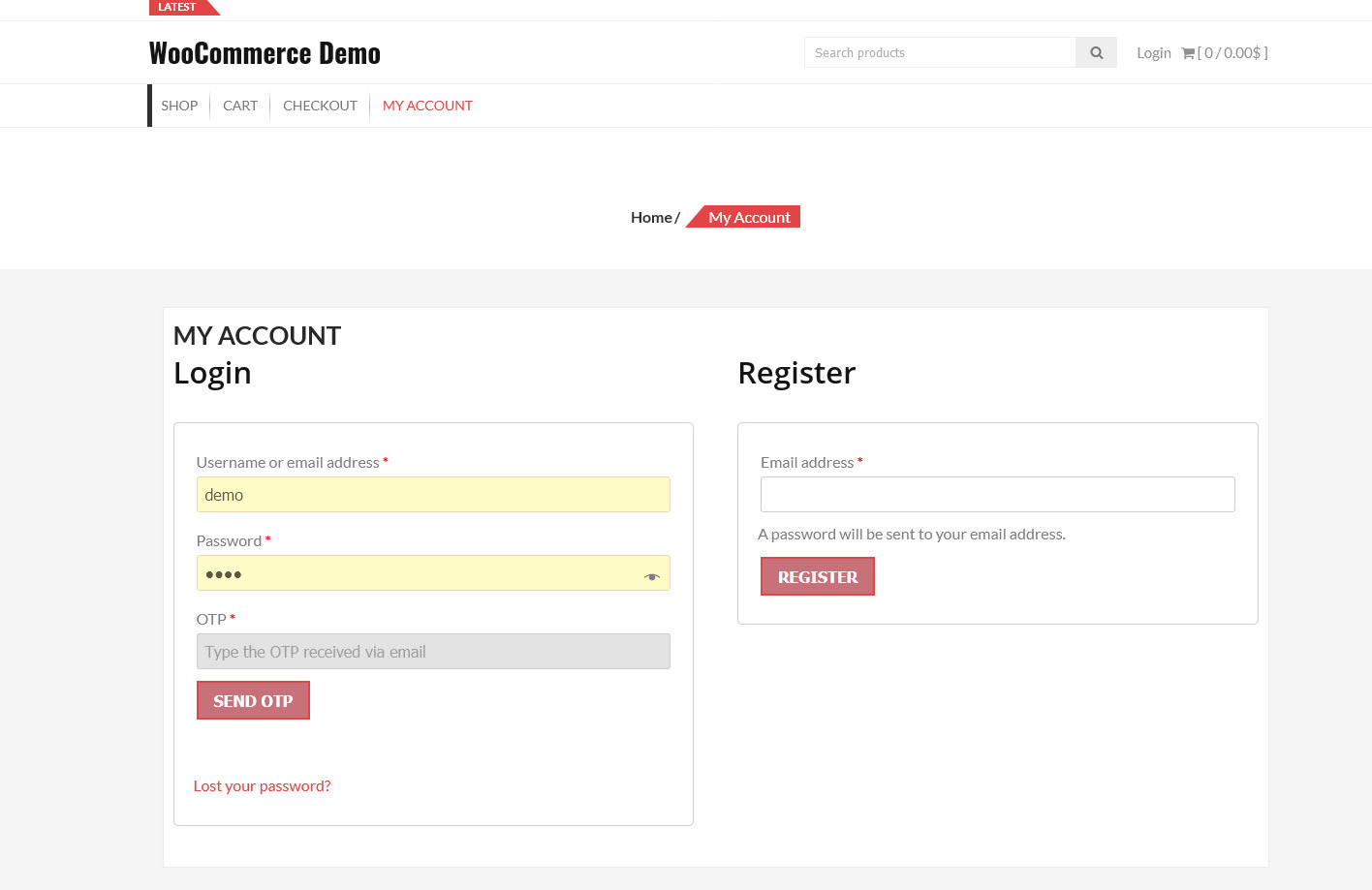
Login area – After the OPT is sent via email
Error message
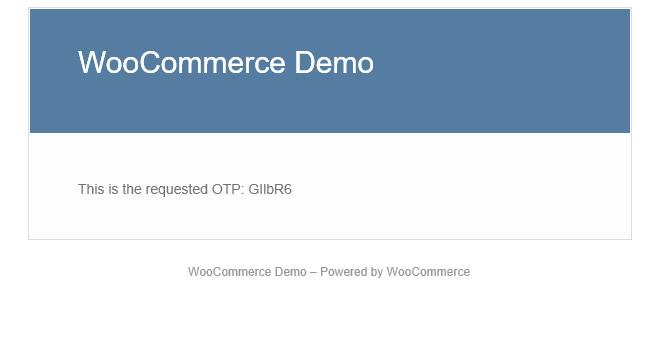
Admin login area
Configuration menu
CHANGE LOG
= 1.6 - 11.02.22 =* added option to enable/disable the "create account" option on checkout and the autologin= 1.5 - 27.10.21 =* Fixed an issue that prevents the plugin to be properly activated in some scenarios= 1.4 - 26.10.21 =* Minor improvements= 1.3 - 12.03.21 =* UX improvements= 1.2 - 04.03.21 =* Minor improvements= 1.1 - 01.03.21 =* Fixed an issue related to the login template= 1.0 - 28.02.21 =* First release










Reviews
Clear filtersThere are no reviews yet.